You don’t have to show your face to build a YouTube channel. Plenty of successful channels use voiceovers, screen recordings, animation, hands-only footage, maps or gameplay instead. That suits people who are camera-shy, want privacy, or simply want a channel they can run around a day job.
The hard part is the idea. “Start a faceless channel” isn’t a plan. “Explain one money mistake a week, with simple animated charts, for people in their twenties” is.
Below are 50 faceless YouTube video ideas across 10 niches, with the video format that works for each one. Before the list, you’ll find how faceless channels actually make money in 2026 and 2027, and the YouTube rule that decides whether a faceless channel can earn from ads at all.
Who this is for: beginners who want to start a YouTube channel without being on camera. If you want a step-by-step build for Shorts, read our guide on how to make money with Claude and YouTube Shorts after you’ve chosen a niche here.
How faceless channels make money
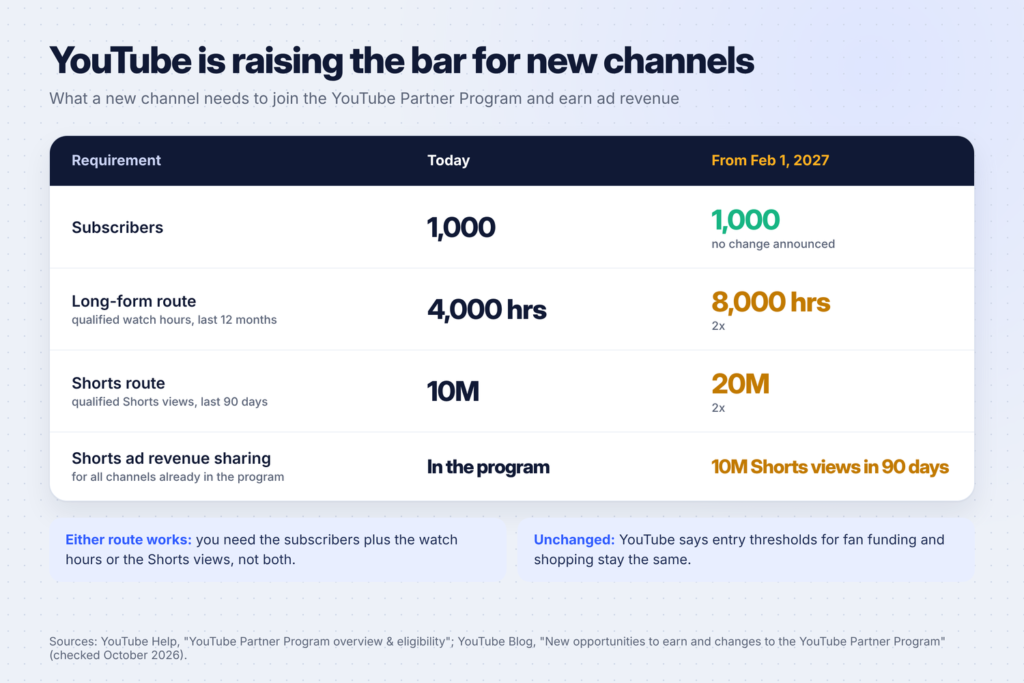
Ad revenue through the YouTube Partner Program. According to YouTube’s help page on Partner Program eligibility, you currently need 1,000 subscribers plus either 4,000 qualified watch hours in the last 12 months or 10 million qualified Shorts views in the last 90 days.
That bar is going up. In its post on changes to the YouTube Partner Program, YouTube says new creators applying from February 1, 2027 will need 8,000 qualified watch hours in the last 365 days, or 20 million qualified Shorts views in the last 90 days. From the same date, any channel needs 10 million qualified Shorts views in 90 days to share in Shorts ad revenue. Channels below that keep earning on their long-form videos.
YouTube also says it’s adding new incentive programs for channels below that threshold, such as bonuses for YouTube Shopping and incentives for brand deals.
Other income that doesn’t wait for the Partner Program:
- Affiliate links to the tools, books or products you mention, in the description and pinned comment.
- Sponsorships once you have a focused audience. A small channel in a clear niche can be more attractive to the right brand than a big, general one.
- Your own products: templates, guides, printables or a course that fits your niche.
The practical takeaway: plan a channel that can earn from affiliates and products early, and treat ad revenue as a later bonus. Long-form videos also look more attractive under the new rules, because the watch-hour route is still open to them.
The rule that decides whether you get paid
Faceless channels have a reputation problem: many are low-effort, mass-produced videos. YouTube doesn’t pay for those.
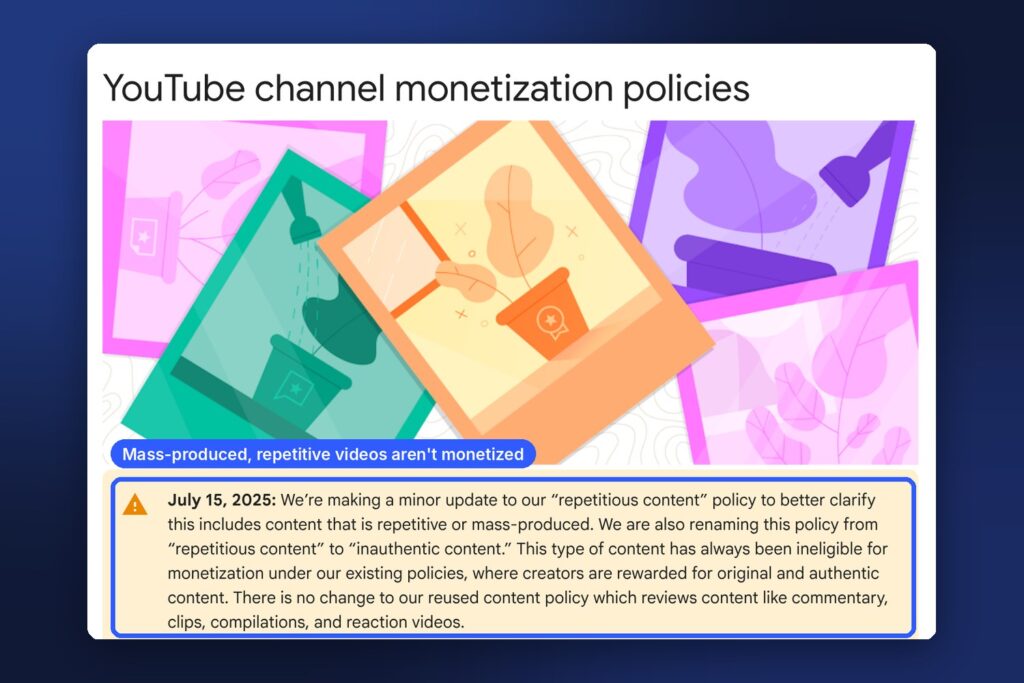
On July 15, 2025, YouTube updated its channel monetization policies, renaming its “repetitious content” policy to “inauthentic content” and clarifying that it covers content that is repetitive or mass-produced. YouTube says this kind of content has always been ineligible for monetization, and that creators are rewarded for original and authentic content. The same note says its separate reused content policy, which covers commentary, clips, compilations and reaction videos, didn’t change.
In plain terms, a faceless channel that wants to earn needs:
- Original scripts with your own research, opinion or structure, not a reworded Wikipedia article.
- Real variety between videos, not the same template with a different name swapped in.
- Your own value on top of anything you reuse. Clips and footage from others need commentary, teaching or analysis that changes them, and you still need the right to use them.
AI is allowed, with a disclosure. YouTube’s help page on disclosing AI-generated content says creators must disclose AI-generated or altered content that seems realistic, during upload. Non-realistic content and minor edits don’t need it. An animated chart or a cartoon doesn’t need the label. A realistic AI voice clone of a real person, or AI footage of an event that never happened, does.
50 faceless YouTube video ideas by niche
Each niche below has five video ideas and the format that works best without a face. Pick one niche and stay with it. A channel that changes topic every week confuses both viewers and the recommendation system.
Personal finance (ideas 1-5)
Format: voiceover with simple animated charts, numbers and on-screen text.
- “I tracked every dollar for 30 days” using a real budget spreadsheet on screen, with your own numbers or a clearly fictional example.
- One money mistake explained in 5 minutes, such as minimum credit card payments or lifestyle creep, with a worked example.
- How a savings account, index fund and pension compare, using official figures from your own country’s regulator or tax authority.
- “What $100 a month becomes” over 10, 20 and 30 years, with the assumptions shown on screen.
- Budget breakdowns for one situation, like a single parent, a student or a freelancer with uneven income.
Finance content needs care: show your sources, avoid promising returns, and say clearly that it’s education, not personal financial advice.
Tech tutorials and AI tools (ideas 6-10)
Format: screen recording with voiceover. This is the easiest faceless niche to start, because the screen is the content.
- “How to do X in 3 minutes” tutorials for one popular tool (Canva, Notion, Excel, ChatGPT).
- Honest tool comparisons: the same task done in two tools, side by side.
- “5 settings you should change” for a phone, app or service.
- Workflows: how to automate one boring task from start to finish.
- New feature walkthroughs the week a tool releases them.
AI tutorials fit Buildfloow readers especially well. For ideas on what to teach, see our lists of side hustles you can do with ChatGPT and side hustles you can do with Claude.
History and mysteries (ideas 11-15)
Format: narration over maps, public-domain photos and documents, and simple animation.
- “The day that changed X”: one event told minute by minute.
- Forgotten inventions and the people behind them.
- Unsolved mysteries told carefully, separating facts from theories.
- History of everyday objects, like the paperclip, the fork or the zipper.
- “What life was like in…” a specific city and year, based on primary sources.
Use archive material that’s in the public domain or properly licensed, and credit it. Many national archives and museums publish images with clear reuse terms.

Cooking and food (ideas 16-20)
Format: overhead “hands-only” camera, which is how many popular recipe channels already film.
- Five-ingredient recipes for one situation: students, busy parents, one-person meals.
- Budget meal prep: a week of lunches with the shopping list and total cost on screen.
- One dish, three ways: beginner, intermediate and advanced.
- Recipes from one cuisine you know well, with the background of each dish.
- Kitchen basics: knife skills, rice that never sticks, sauces from scratch.
Education and study help (ideas 21-25)
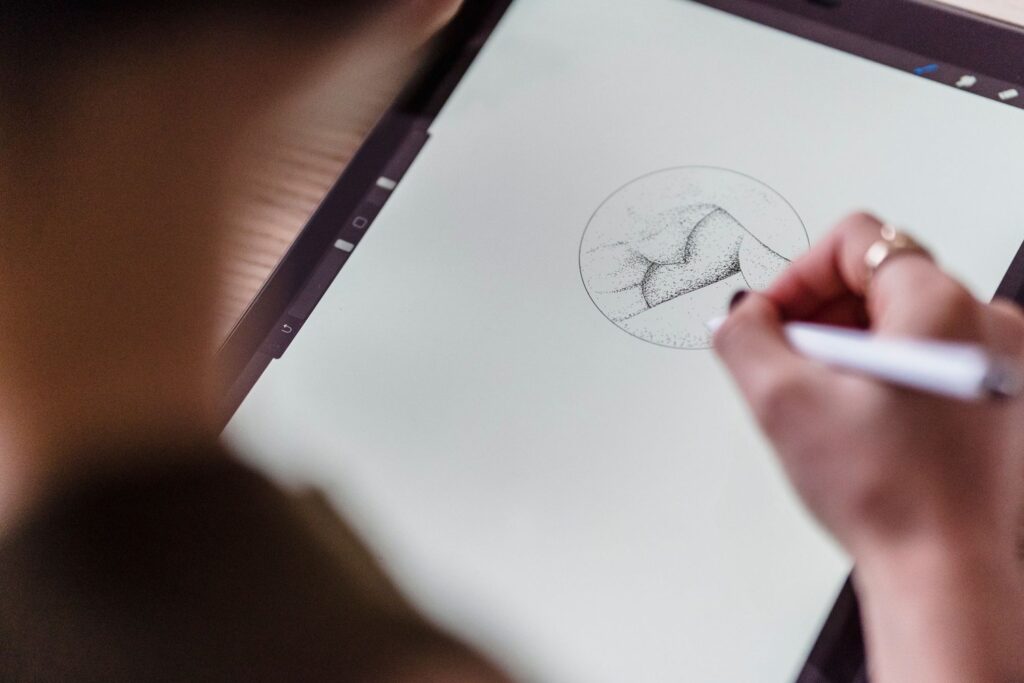
Format: whiteboard-style animation, slides or handwriting on a tablet.
- One exam topic explained simply, for a specific exam and grade.
- Language lessons with on-screen text, audio and quizzes.
- “Learn X in 10 minutes” for science, math or grammar basics.
- Study methods explained (spaced repetition, active recall), shown in practice.
- Worked problems: one hard question solved step by step.
If your videos are aimed at children, set your audience correctly in YouTube Studio. Content made for kids has its own rules and features.
Gaming (ideas 26-30)
Format: gameplay with commentary. You’ll need to follow each game publisher’s rules on video content.
- Beginner guides for one game, from first hour to first big milestone.
- “Things I wish I knew” before starting a specific game.
- Challenge runs with a clear rule, such as no upgrades or only one weapon.
- Lore explained: the story of a game world told as a documentary.
- Settings and performance guides for running a game on budget hardware.
Plain gameplay without commentary is the kind of content the reused and inauthentic content policies look at closely. Your commentary, teaching or storytelling is what makes it yours.
Calm, study and sleep content (ideas 31-35)
Format: long videos of ambient visuals and sound.
- Study-with-me sessions with a timer on screen and your own desk filmed from above.
- Nature sounds you recorded yourself, such as rain on a window or a forest at dawn.
- Guided breathing or relaxation with a calm voiceover and simple visuals.
- “Cozy” scenes you film yourself: a fireplace, a cafe corner, a reading nook.
- Sleep stories you write yourself, read slowly over soft visuals.
This niche is crowded with near-identical videos. Original recordings, your own voice and a clear theme are what set a channel apart, and they also keep you on the right side of the inauthentic content policy.
Self-improvement and productivity (ideas 36-40)
Format: voiceover with animated text, stick figures or simple illustrations.
- Book lessons in your own words: the three ideas you used from a book, and what happened. Don’t read out the book itself.
- Habit experiments: “I tried waking up at 5am for 30 days” with honest results.
- Productivity systems explained with real examples on screen.
- “How to start” videos for one skill: journaling, running, saving, reading more.
- Mistakes beginners make in one area, with how to fix each one.
Explainers and animation (ideas 41-45)
Format: hand-drawn or simple 2D animation with a voiceover.
- “How does X work?” for everyday tech: Wi-Fi, credit scores, airplanes, GPS.
- Science myths checked against research, with sources on screen.
- Economics in plain English: inflation, interest rates, supply chains.
- Comparisons: “What if everyone did X?” thought experiments.
- Maps and geography: borders, rivers and why cities are where they are.
Business and side hustles (ideas 46-50)
Format: screen recordings, slides and on-screen examples.
- Side hustle breakdowns: what it takes, real costs, and how to start, with no income promises.
- “I tried selling X for 30 days” with your real numbers, whatever they are.
- Tool walkthroughs for small business owners (invoicing, scheduling, email).
- Etsy and digital product tutorials: how to research, make and list a product. Our guide to starting an Etsy digital download shop with AI has enough steps for a whole video series.
- Case studies of public companies or famous brands, using their own published results.
How to turn one idea into a video
A simple workflow for a faceless video:
- Research. Collect three to five reliable sources and note the facts you’ll use.
- Script. Write an outline, then a script that sounds like you talking. A hook in the first few seconds, one main idea, and a clear ending.
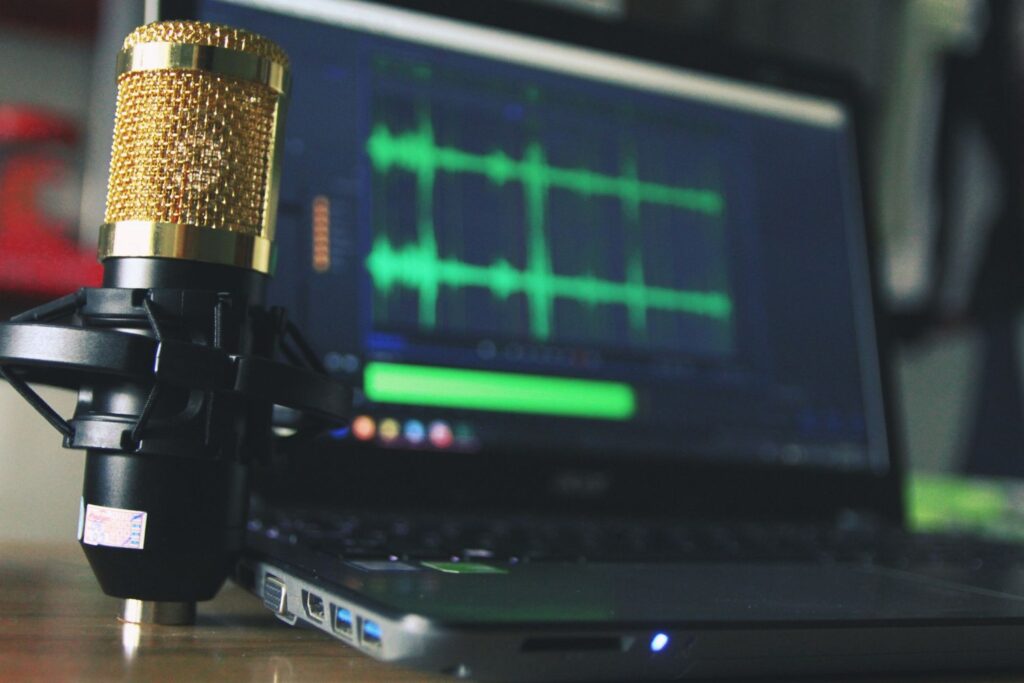
- Voice. Record your own voice with a decent USB microphone in a quiet room, or use an AI voice you have the rights to. If you’re considering AI voices, see our guide to making money with ElevenLabs for how they work.
- Visuals. Screen recordings, your own footage, licensed stock, charts or animation.
- Edit. Cut pauses, add captions, check every fact on screen.
- Upload. A clear title, a thumbnail with a few big words, and an honest answer to YouTube’s AI disclosure question.
Here’s a prompt you can use with ChatGPT or Claude to plan your first ten videos:
I want to start a faceless YouTube channel in this niche: [niche].
My audience is: [who they are and what they need].
The format will be: [voiceover + screen recording / animation / overhead camera].
1. Suggest 10 specific video ideas, each with a working title under 60 characters.
2. For each, write a one-sentence hook for the first 5 seconds.
3. List what research I'd need to check before making each video.
Don't invent statistics. Mark anything I need to verify.
Use the list as a starting point, then write the scripts yourself or edit them heavily. YouTube rewards original, authentic content, and your own perspective is what viewers come back for.
How to choose your niche
Ask yourself four questions before you commit:
- Can I make 50 videos about this? If you run out of ideas at 10, it’s too narrow.
- Do I know it or want to learn it? You’ll research every video, so pick a topic you enjoy.
- Is there a way to earn early? Affiliate products, sponsors or your own digital product.
- Can I make it without a face, comfortably? Some topics work naturally with screens or hands. Others feel forced.
FAQ
Can faceless YouTube channels be monetized?
Yes. YouTube doesn’t require you to show your face. What it doesn’t monetize is inauthentic content: videos that are repetitive or mass-produced. Original scripts, real research and your own voice or perspective make the difference.
Is it OK to use AI voices and AI images?
YouTube allows AI tools, but you must disclose AI content that looks realistic when you upload. Make sure you have the rights to any voice you use, and don’t imitate a real person without permission.
How many subscribers do I need to make money?
For ad revenue, 1,000 subscribers plus watch hours or Shorts views (see the table above for the numbers, including the changes from February 1, 2027). Affiliate links and your own products can earn before that.
Should I make Shorts or long videos?
Many channels do both. Shorts can bring new viewers quickly, while long videos build watch hours and deeper trust. With the 2027 changes, long-form videos are an important path into the Partner Program for new channels.
How long does it take to grow a faceless channel?
There’s no reliable timeline. It depends on the niche, the quality and how consistently you publish. Plan to publish regularly for several months and improve each video based on what your analytics show.
Keep going
Ready to build? Follow our step-by-step guide on making money with Claude and YouTube Shorts. For voiceovers, read 6 ways to make money with ElevenLabs, and for more ways to earn from home with AI, see 25 AI side hustles for stay-at-home moms.