A digital product is something you make once and sell as a download or online access: a printable, a template, a guide, a course. There’s no stock to buy, nothing to ship and no limit on how many times you can sell the same file. That’s why it’s one of the most popular ways to start earning online.
The hard part isn’t the selling. It’s picking what to make. Below are 50 digital product ideas for beginners, grouped by type, with who buys each one and what you’d need to make it. After the list you’ll find how to pick one, what the main platforms charge, and a simple plan to launch your first product in a weekend.
Who this is for: beginners who want a first product they can make with free or cheap tools, without a big audience. If you already know you want to sell on Etsy, read our guide to starting an Etsy digital download shop with AI next.
Printables (ideas 1-10)
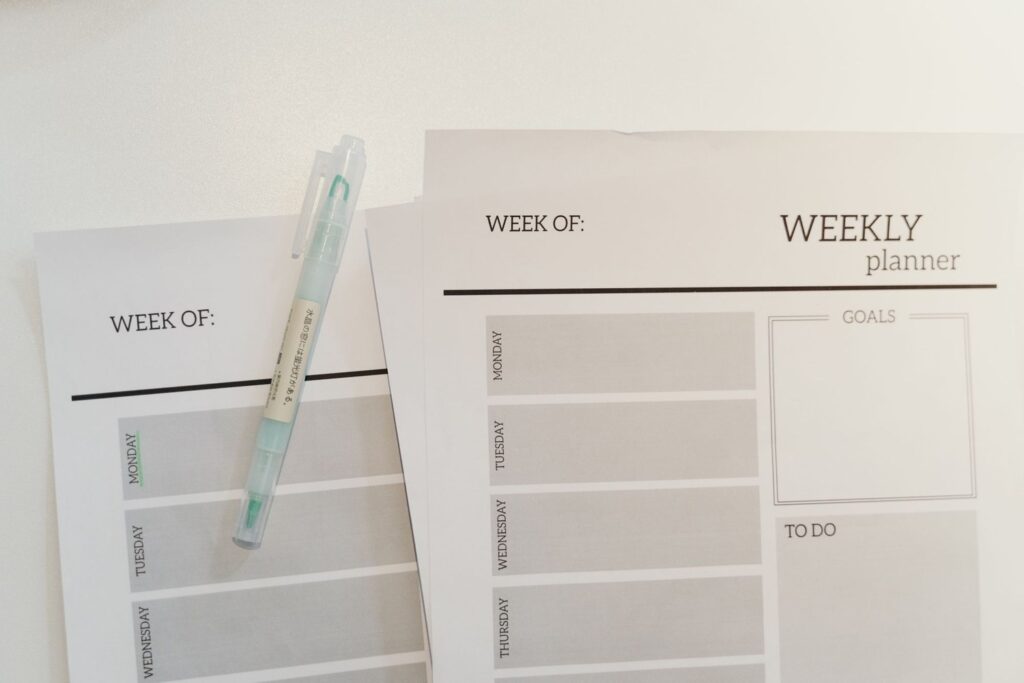
Printables are PDFs people print at home. They’re cheap to make with Canva or Google Docs and they sell well on Etsy and Pinterest. For 50 more printable ideas, see our list of printables that sell on Etsy.
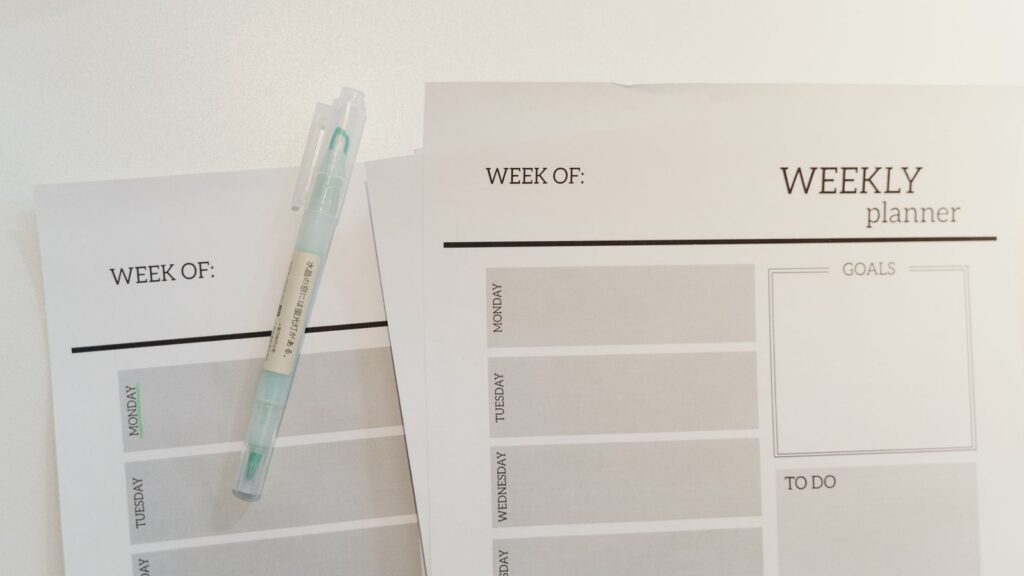
- Weekly and monthly planners. Buyers: busy parents, students, people starting a new year. Make undated versions so they sell all year.
- Budget and bill trackers. Buyers: anyone trying to get on top of money. A monthly budget, savings tracker and debt payoff chart work well as a bundle.
- Meal planners and grocery lists. Buyers: families and people on a budget. Pair it with a list of easy meals or a pantry inventory page.
- Habit and goal trackers. Buyers: people making a fresh start. Simple, clean designs with 30 or 90 days on one page tend to be the easiest to use.
- Chore charts for kids. Buyers: parents. Picture-based versions for younger children help it stand out.
- Kids’ activity sheets. Buyers: parents and teachers. Mazes, colouring pages, tracing letters and simple puzzles for a specific age.
- Classroom resources. Buyers: teachers. Worksheets, reading logs, classroom rules posters and reward charts for one grade or subject.
- Wedding and party printables. Buyers: couples and party hosts. Seating charts, signs, games and invitations people can edit and print.
- Holiday printables. Buyers: families before Christmas, Easter or Halloween. Advent calendars, gift tags and kids’ activities. List them weeks before the holiday. Our list of Christmas printables to make and sell has more.
- Wall art prints. Buyers: people decorating on a budget. Quotes, line art or nursery prints in standard frame sizes.
Editable templates (ideas 11-18)
Templates are files the buyer edits themselves, usually in Canva, Google Docs or Notion. They often sell for more than printables because they save the buyer real work. Our guide to Canva templates you can sell covers 25 of them in detail.
- Resume and cover letter templates. Buyers: job seekers. Clean, readable designs beat flashy ones, so keep them easy to edit.
- Social media templates for one niche. Buyers: small business owners. “Instagram posts for hair salons” is easier to sell than generic social posts.
- Business templates. Buyers: freelancers and small businesses. Invoices, proposals, price lists and client onboarding packs.
- Notion templates. Buyers: students, freelancers and people who like to organise. Habit trackers, study planners, content calendars and simple CRMs.
- Spreadsheet templates. Buyers: people who’d rather not build formulas. Budgets, savings goals, wedding budgets and small business bookkeeping in Google Sheets or Excel.
- Presentation templates. Buyers: students, coaches and small teams. Pitch decks and course slides in Canva or Google Slides.
- Ebook and lead magnet templates. Buyers: coaches and bloggers. Ready-made layouts they drop their own words into.
- Website and link-in-bio templates. Buyers: creators starting out. Simple page layouts for Canva websites or other no-code tools.
For more template ideas you can build quickly with AI, see 15 Notion and Canva templates you can make with AI and sell.
Guides and courses (ideas 19-27)
If you know how to do something that others want to learn, you can package it. You don’t need to be the world’s top expert. You need to be a few steps ahead of the person buying.
- A short how-to ebook. Buyers: beginners in your topic. 20-40 pages that solve one problem, like “Start a vegetable garden on a balcony”.
- A checklist or cheat sheet. Buyers: people who want the short version. A one-page reference often sells better than a long book.
- A recipe ebook. Buyers: home cooks. Pick a niche: 30-minute dinners, budget meals, air fryer recipes, a family recipe collection.
- A mini course. Buyers: people who want to learn quickly. 5-10 short videos or lessons on one skill.
- A full video course. Buyers: people who want a complete path. More work, higher price. See 10 platforms to sell your skills as video courses.
- A workbook. Buyers: people who want to do the work, not only read. Prompts, exercises and space to write, for goal-setting, career change or journaling.
- A study guide. Buyers: students facing a specific exam. Summaries, practice questions and memory aids.
- A language learning pack. Buyers: travellers and learners. Phrase lists, flashcards and audio for one situation, like ordering food.
- A “how I did it” case study. Buyers: people who want to copy a result. Your exact steps to grow a page, plan a wedding on a budget or pass an exam.

Creative assets (ideas 28-35)
These sell to other creators and businesses who need visuals or files for their own work.
- Stock photos. Buyers: bloggers and small brands. Photos of one theme, like flat lays, local scenery or food.
- Lightroom presets and photo filters. Buyers: photographers and influencers. A pack of 5-10 consistent looks.
- Fonts and hand lettering. Buyers: designers and crafters. Needs real design skill, but sells for years.
- Clip art and illustrations. Buyers: teachers, crafters and designers. Themed sets like woodland animals or school supplies.
- Cricut and SVG cut files. Buyers: crafters. Designs for shirts, mugs and signs.
- Digital stickers. Buyers: digital planner users. Themed sticker sheets for apps like GoodNotes.
- Embroidery or knitting patterns. Buyers: crafters. A clear PDF pattern with photos and step-by-step instructions.
- Mockups. Buyers: other digital product sellers. Photos of frames, phones or desks where they can drop in their designs.

Audio and video (ideas 36-40)
- Guided meditations or sleep audio. Buyers: people who want calm. Short recordings for a specific need, like a 10-minute wind-down.
- Music loops and sound effects. Buyers: video creators and podcasters. Needs music skills or the right tools.
- Video templates and intros. Buyers: YouTubers and small businesses. Editable intros, lower thirds and transitions for CapCut or Canva.
- Workout videos or plans. Buyers: people training at home. A 4-week plan with videos for one goal. Only teach what you’re qualified to teach.
- Voiceover packs. Buyers: creators who need narration. Make sure you have the rights to any voice you sell. Our guide to making money with ElevenLabs covers this.
Tools and resource packs (ideas 41-46)
- Prompt packs. Buyers: people who use AI tools but don’t know what to ask. A themed pack, like prompts for real estate agents or teachers.
- Swipe files. Buyers: marketers and small businesses. Email subject lines, sales page examples or caption ideas for one industry.
- Resource directories. Buyers: people starting something new. A sorted list of the best free tools, suppliers or grants for one niche, kept up to date.
- Calculators. Buyers: people making a decision. A spreadsheet that works out pricing, savings or project costs.
- Printable or digital games. Buyers: families, teachers and party hosts. Bingo cards, quizzes, scavenger hunts and escape room kits.
- Digital planners. Buyers: tablet users. Hyperlinked PDF planners for apps like GoodNotes, with tabs that jump between months.
Memberships and bundles (ideas 47-50)
Once you have a few products, these help you earn more from the same work.
- A product bundle. Group related products (for example, budget tracker + meal planner + chore chart as a “home organisation bundle”) and price it below buying them separately.
- A monthly membership. New printables, templates or lessons every month for a small subscription.
- A paid newsletter or private community. Your knowledge delivered regularly, with a place for members to ask questions.
- A “done with you” kit. A template plus a short video showing how to use it. Buyers pay more when they can see exactly how to finish the job.
How to pick your first product
Fifty ideas is a lot. Use these four questions to narrow it down to one:
- What do you already know or have? A teacher has classroom resources, a nurse has study notes, a parent has routines that work. Start there.
- Can you make a good version in a weekend? Your first product should be small. A printable or a template beats a full course.
- Is someone already selling it? That’s a good sign, not a bad one. It means people buy it. Look at what they sell and find a gap, like a better design or a specific niche.
- Where will buyers find it? Printables and templates suit Etsy and Pinterest. Courses and guides suit your own audience on Instagram, TikTok or a blog.
A quick test: write the product down as “a [thing] for [specific person] who wants [result]”. For example, “a meal planner for families on a tight budget who want to stop wasting food”. If you can’t fill in the blanks, the idea is too vague.
Where to sell, and what it costs
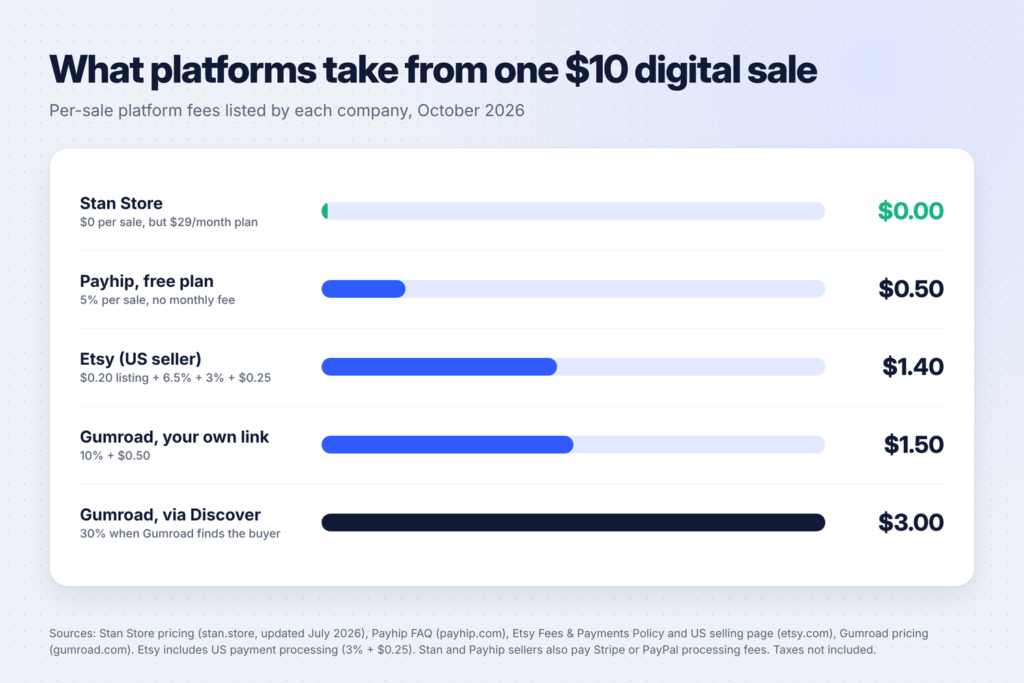
You can sell on a marketplace (buyers already shop there) or your own store (you bring the buyers). Here’s what the main options charge, from each company’s own pages:
| Platform | Monthly cost | Fee per sale | Best for |
|---|---|---|---|
| Etsy | None | $0.20 listing fee, 6.5% transaction fee, plus payment processing (3% + $0.25 in the US) | Printables, templates, craft files |
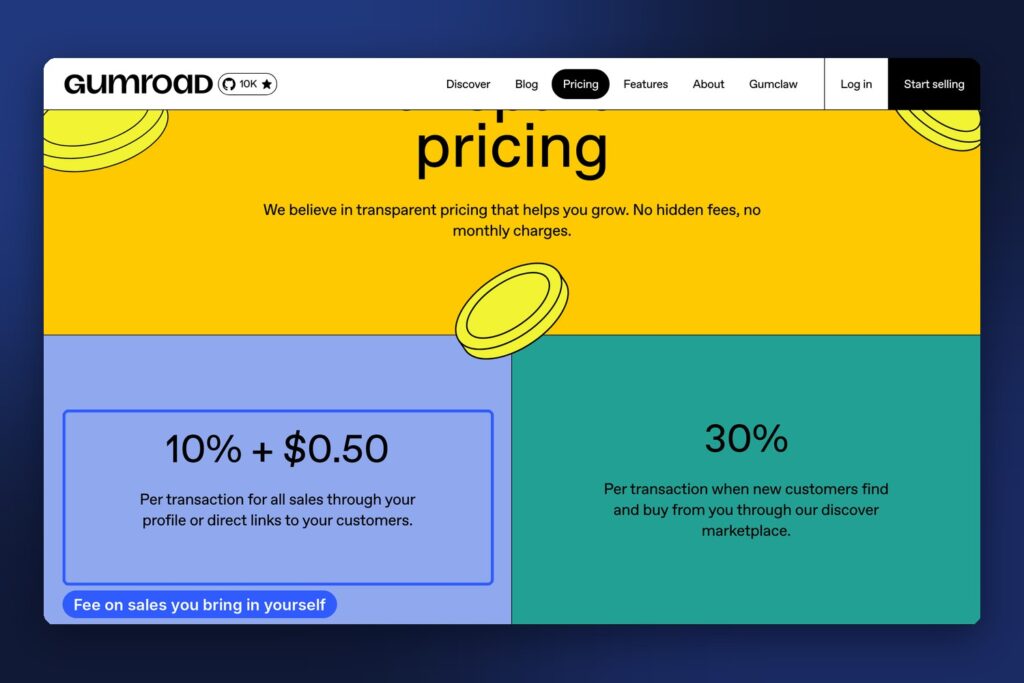
| Gumroad | None | 10% + $0.50 on your own links, 30% when Gumroad’s Discover marketplace finds the buyer | Guides, templates, creator products |
| Payhip | Free plan available | 5% on the free plan, 2% on Plus, 0% on Pro (plus Stripe or PayPal fees) | Ebooks, courses, your own store |
| Stan Store | $29 (Creator) or $99 (Creator Pro) | No Stan transaction fee (Stripe or PayPal fees still apply) | Selling from an Instagram or TikTok link in bio |
Sources: Etsy’s fees and payments policy and US selling page, Gumroad’s pricing page, Payhip’s FAQ and features page, and Stan’s pricing guide, checked in October 2026. Fees can change and vary by country, so check before you set your prices.
What this means for a beginner:
- No audience yet? A marketplace like Etsy gives you buyers who are already searching. The fees are higher, but you don’t need followers.
- Have followers? Your own store keeps more of each sale. Gumroad and Payhip have no monthly cost to start, so you only pay when you sell.
- Selling a lot? A monthly plan with no per-sale fee (like Stan, or Payhip’s paid plans) can work out cheaper once sales are steady. Do the maths with your own numbers.
- Cheap products feel fixed fees most. On a $3 printable, Etsy’s $0.20 listing fee and $0.25 processing fee are a big share. Bundles help.
Launch your first product in a weekend
Here’s a simple plan that works for most printables and templates.
Saturday morning: pick and research (2 hours)
- Choose one idea from the list and write your one-line description (“a [thing] for [person] who wants [result]”).
- Search for it on Etsy and Pinterest. Note what the top sellers include, their prices and what buyers complain about in reviews.
Saturday afternoon: make it (3-4 hours)
- Build it in Canva, Google Docs or Notion. Keep it simple and clean.
- Test it yourself. Print it, fill it in or use the template for a real task. Fix anything confusing.
Sunday: list it (3 hours)
- Create 3-5 preview images showing what’s inside. Mockups help buyers picture it.
- Write a title and description that use the words buyers search for, and list exactly what they get (number of pages, file type, sizes).
- Pick your platform from the table above and publish.
- Share it: a few Pinterest pins, a post on your social accounts, or a message to friends who fit the buyer.
AI tools like ChatGPT or Claude can speed up steps 1, 2 and 6: brainstorming niches, summarising reviews and drafting listings. Check everything they write and make the product itself your own work. If you’re choosing a tool, our ChatGPT vs Claude vs Gemini comparison can help.
Mistakes beginners make
- Making something huge first. A 200-page course takes months. A one-page checklist takes an afternoon and teaches you how selling works.
- Being too general. “Planner” competes with thousands of listings. “Planner for night-shift nurses” stands out.
- Using images or fonts you don’t have the rights to. Only use assets your licence allows for products you sell, and check each tool’s terms.
- Pricing without counting fees. Work out what you keep after the platform and payment fees, not just the price.
- Listing once and waiting. Most sales come from steady promotion and new listings over months, not one launch day.
FAQ
What is the easiest digital product to make as a beginner?
Printables and simple templates are usually the easiest. You can make them with free tools like Canva or Google Docs in an afternoon, and buyers already search for them on Etsy and Pinterest.
Do I need a website to sell digital products?
No. Marketplaces like Etsy and hosted stores like Gumroad, Payhip and Stan give you a shop page and handle the checkout and download. You can add a website later.
How much should I charge for my first digital product?
Look at what similar products sell for on the platform you choose, then price in the same range. Work out what you keep after fees. Very cheap products lose a bigger share to fixed fees, so consider a bundle.
Can I sell products I made with AI?
Many sellers use AI to help with research, writing and design. Check the rules of the platform you sell on and the terms of the AI tool you use, be honest in your listing if a platform asks you to disclose AI use, and make sure the final product is useful and your own work.
How long does it take to make the first sale?
It varies a lot. Some sellers get a first sale in days, others take months. More listings, a clear niche and regular promotion on Pinterest or social media all help.
Keep going
Ready to pick a niche? Start with 50 printable ideas that sell on Etsy or 25 Canva templates you can sell. Then follow our step-by-step guide to starting an Etsy digital download shop with AI, and set up Pinterest for your business to bring buyers to it.