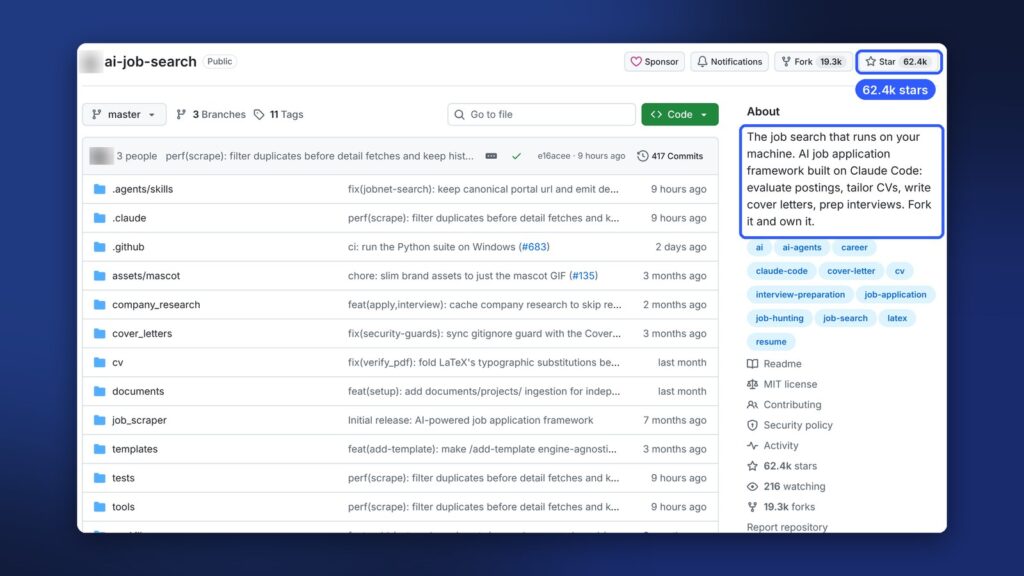
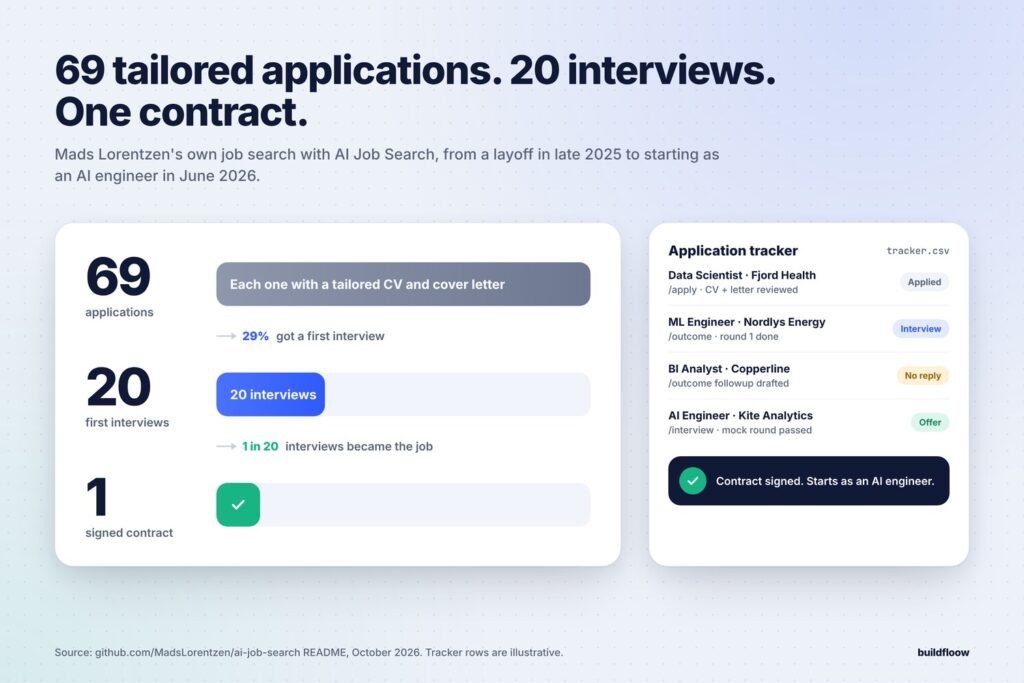
In late 2025, geophysicist Mads Lorentzen’s position was cut. Instead of sending the same CV everywhere, he built a job search system on top of Claude Code and used it every week.
The result, in his words: sixty-nine tailored applications, twenty first interviews, and one signed contract. He started as an AI engineer in June 2026. Then he open-sourced the whole thing as AI Job Search, free under the MIT license.
This guide walks you through what it does, what you need, and how to set it up and run it, step by step.
What it is not: it doesn’t apply to jobs for you. It finds and ranks postings, writes tailored documents, checks them and preps you, but you decide where to apply and you send every application yourself. Mads was open with employers about using it, and he says it usually started a good technical conversation instead of counting against him.
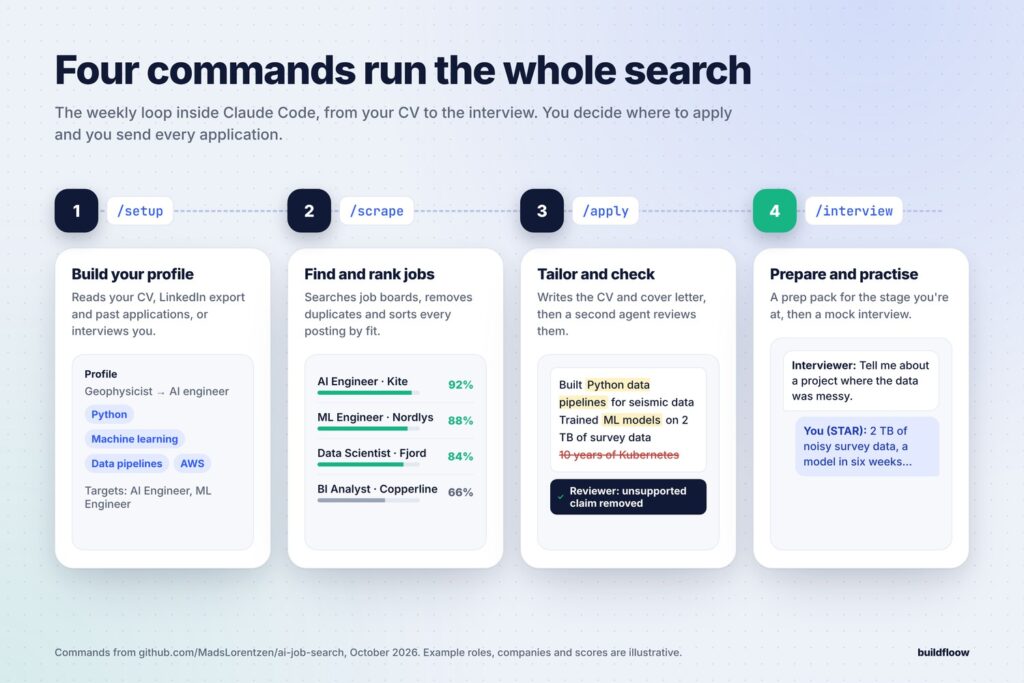
What it does: four commands
| Command | What happens |
|---|---|
/setup | Reads your career material (CV PDF, LinkedIn export, diplomas, past applications), or interviews you, and builds your profile |
/scrape | Searches job portals for roles that match your profile, removes duplicates and sorts them by fit |
/apply <url> | Evaluates the fit, drafts a tailored CV and cover letter, has a second agent review them, revises, compiles the PDFs and checks the CV the way hiring software (ATS) reads it |
/interview | Builds a prep pack for a scheduled interview (the posting, the documents you sent, company research, your STAR examples) and runs a mock interview |
The honesty rule runs through all of it: keywords your profile genuinely supports get added; gaps stay visible. It never invents experience.
There are more commands once you’re set up: /rank (batch-score a big scrape), /outcome (record what happened and draft follow-ups), /html-report (a dashboard of your applications), /expand (find skills from your GitHub or portfolio), and /add-portal (add your local job board).
What you need
| You need | Why | Cost |
|---|---|---|
| Claude Code | The whole system runs inside it | No free tier: a Claude Pro, Max or Team plan, or pay-per-use Anthropic API credits |
| Python 3.10+ | Setup and helper scripts | Free |
| Bun | Runs the job-portal search tools | Free |
| A LaTeX distribution (TeX Live, MacTeX, TinyTeX or MiKTeX) | Compiles your CV and cover letter into PDFs | Free |
| Git and a GitHub account | To get the code and keep it updated | Free |
Optional: pypdf (pip install pypdf) | Lets /apply run the ATS text check | Free |
/apply runs a writer and a reviewer agent for every job, so it uses more of your plan than a normal chat. These four fixes that make your Claude limit last help a lot here.
If you don’t use a terminal much, this is a good weekend project. Our Claude Code and YouTube Shorts setup walks through installing Claude Code from scratch. Once it’s installed, day-to-day use is just typing commands into Claude Code.
Step 1: Get your own copy (privately)
Important: /setup writes your personal details (name, contact info, work history, salary expectations) into files in the project. A GitHub fork of a public repo is always public. So for your own job search, don’t fork. Use a private repository.
The simplest safe route:
# 1. Download the code
git clone https://github.com/MadsLorentzen/ai-job-search.git
cd ai-job-search

# 2. Keep the original as "upstream" so you can pull updates later
git remote rename origin upstream
If you want a backup on GitHub, create a new private repository there (no README), then:
git remote add origin https://github.com/<your-username>/<your-private-repo>.git
git push -u origin master
Committing locally without pushing anywhere is also fine. The most sensitive files (your tracker, salary data, documents/ and application archives) are excluded from git either way.
Step 2: Install the job search tools
From the project folder:
python3 tools/install_portal_clis.py # Windows: python tools\install_portal_clis.py
This installs the job-portal search tools. Out of the box it includes several Danish job portals (Mads is in Denmark), a LinkedIn search, and freehire.me, a tech-focused aggregator that covers many countries and remote roles. If your local job board isn’t there, you’ll add it in Step 5.
Also install LaTeX if you haven’t (for a light install, TinyTeX works; the repo’s SETUP.md lists the extra packages it needs).
Step 3: Build your profile with /setup
Put your material in the documents/ folder: your CV as PDF, your LinkedIn data export, diplomas, reference letters, past applications. More material gives a better profile.
Then start Claude Code in the project folder and run setup:
claude
/setup
/setup detects what you have and offers three paths: read your documents/ folder, import a CV you paste into the chat, or interview you. It fills in your profile, your STAR examples for interviews, and your search settings: which roles, skills, locations and portals to target.
Tips:
- Be honest and specific about your experience. Everything later is built on this profile, and the system won’t make things up.
- Run
/expandafterwards if you have a GitHub, portfolio or Google Scholar page. It finds skills your CV doesn’t spell out. - You can re-run
/setupany time you add new material. To change only your search targets:/setup --section search.
Step 4: Find jobs with /scrape
/scrape
It searches the enabled portals for positions matching your profile, removes duplicates and shows them sorted by fit. If a scrape returns more than you want to read, run:
/rank
/rank scores every new posting against your fit framework in parallel and gives you a ranked shortlist with honest strengths and gaps per job. Deal-breakers rule a job out, deadlines get flagged, and expired postings are marked.
Step 5: Add your local job board (if needed)
/add-portal
Give it your local job board’s URL. It studies the site (search URL pattern, page structure, access rules), builds a search tool in the same format as the built-in ones, and test-runs a real query before adding it. Sites that need a login are declined, and sites with restrictive terms get a personal-use-only warning.
Step 6: Apply with /apply
Pick a job and run:
/apply https://link-to-the-job-posting
If the site blocks automated access, paste the job description instead:
/apply <paste the full job description here>
Here’s what happens, in order:
- Integrity check: the posting is scanned for hidden text and instructions aimed at AI tools. Postings are treated as untrusted input.
- Fit evaluation: how well the role matches your profile, and where the gaps are.
- Drafting: a CV and cover letter tailored to this posting.
- Review by a second agent: it checks both documents against the posting and your profile.
- Revision, then PDF compile with a layout check (no orphaned job titles, no cover letter spilling onto page 2).
- ATS check: it reads the CV’s text the way applicant-tracking software does, checks your contact details come through cleanly, and scores keyword coverage. Supported keywords are added; unsupported ones stay as gaps.
Read both documents before you send them. You’re the one applying.

Step 7: Prepare with /interview
When you get an interview:
/interview
It builds a prep pack for that stage: the exact posting, the CV and cover letter the interviewer read, feedback from earlier rounds, research on the company and interviewers, and likely questions matched to your STAR examples. Then it can run a mock interview with you. Where you have gaps, it helps you with honest bridge answers rather than invented experience.
Step 8: Track outcomes and follow up
/outcome
Record what happened: interview stages, offers, rejections, silence. It archives what you sent. /outcome followup finds applications that have gone quiet (default: 10 days) and drafts a short follow-up in your style (it drafts only; it never sends). Once a few applications have resolved, re-run /setup so the fit scoring learns from what actually got you interviews.
For a visual overview: /html-report builds an offline dashboard of your applications.
A weekly routine that works
| When | What |
|---|---|
| Monday | /scrape + /rank, pick the 5–10 best fits |
| Mon–Thu | /apply to one or two a day; read and send each yourself |
| As they come | /interview for each scheduled interview, including the mock round |
| Friday | /outcome for anything new; /outcome followup for quiet ones |
Mads ran the same /scrape, /apply, /interview loop weekly. Consistency did as much as the tooling.
FAQ
Is it really free?
The code is free and open source (MIT). You need Claude Code, which requires a paid Claude plan or API credits.
Does it apply to jobs automatically?
No. It prepares everything; you review and submit.
Will employers mind?
Mads told every employer he spoke to. He says it usually sparked a technical conversation rather than counting against him. The documents are based on your real experience, never invented.
Is my data safe?
Your sensitive files are excluded from git, and you should keep your copy private (see Step 1). Don’t push a personalized copy to a public fork.
Does it work outside Denmark?
Yes, through LinkedIn search, freehire.me and /add-portal for your local boards. The community also maintains forks adapted to other markets and languages, listed in the repo’s community forks thread.
Can I use another AI coding tool?
The portal search skills work in other agent tools too (see AGENTS.md in the repo), and community forks adapt the full workflow, but it’s built for Claude Code.
Is it affiliated with Anthropic?
No. It’s an independent open-source project.
Links
- The repo: github.com/MadsLorentzen/ai-job-search (start with README.md and SETUP.md)
- Claude Code: claude.com/claude-code
- Earning with Claude instead of job hunting? Try these 15 side hustles you can do with Claude