Canva is the reason a lot of people who “can’t design” now get paid for design work. You don’t need to know Photoshop or have an art degree. You need a good eye, some practice and a clear idea of who you’re designing for.
The AI tools make it faster still. Magic Write drafts copy, Magic Design builds a first layout from a prompt, Dream Lab generates images, and Magic Resize turns one design into versions for every platform. Some of these are on the free plan with limited credits. The background remover and Magic Resize need Canva Pro, which costs around $15 a month in the US in 2026. If you’re serious about any hustle on this list, Pro pays for itself quickly.
I make my own YouTube thumbnails in Canva, and I know how long it takes to get one right. That time is exactly what clients pay to skip.
Here are 15 side hustles, split into services you sell to clients and products you make once and sell many times.
Services: get paid for design work
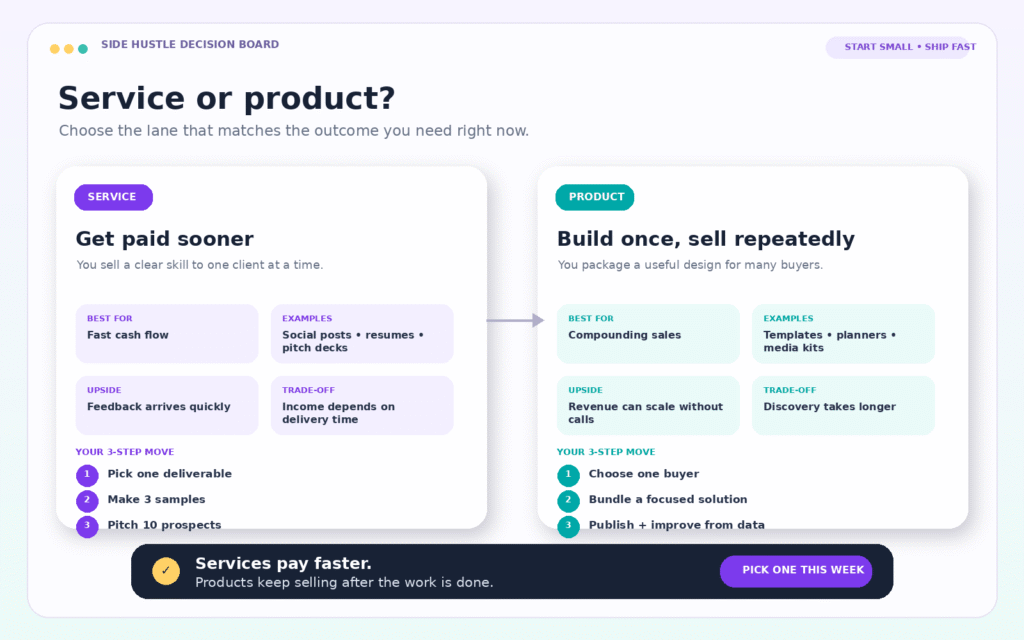
Services bring money in fastest, since one client can pay you this week. The downside is that your income stops when you stop working.
1. Social media graphics for local businesses
Cafés, gyms, salons and real estate agents need fresh posts every week and hate making them. Offer a monthly package, such as 12 branded posts with captions, for $200 to $600 a month. Build a template set for each client once, and every month after that goes much faster.
2. YouTube thumbnail design
A thumbnail has one job: getting the click. YouTubers with growing channels will pay $15 to $75 per thumbnail, and many need several a week. Study what works in each niche. Faces with strong expressions, three or four words of big text and high contrast are common for a reason. Faceless channels need thumbnails too, which is a big market of its own.
3. Pinterest pin design for bloggers
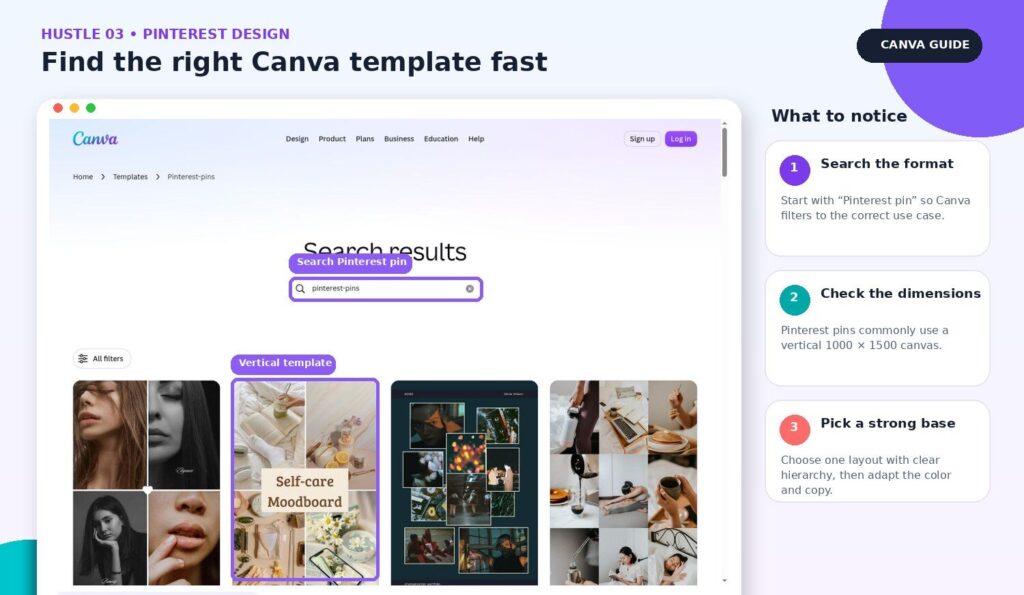
Bloggers and online shops get traffic from Pinterest, but only if they post fresh pins regularly. Offer packs of 20 to 30 pins a month in the vertical format Pinterest favors. Bloggers understand the value because they can see the traffic in their analytics.
4. Presentation design
Consultants, founders and managers often have the content for a deck and no time to make it look good. Turn rough slides into a clean, consistent deck for $150 to $500, depending on length. LinkedIn is the best place to find these clients.
5. Brand kits for new businesses
New businesses need a logo, a color palette, fonts, business cards, social media profile images and an email signature that all match. Bundle them into a brand kit for $250 to $750. Be careful with logos: use your own design work, not stock elements, so the client can trademark it if they want to.
6. Resume design
Job seekers want a resume that looks professional and still works with applicant tracking software. Offer a rewrite and redesign for $50 to $150. Pair it with LinkedIn banner designs to raise the price.
7. Ebooks and lead magnets for coaches
Coaches and course creators give away free PDFs to collect emails, and they need them to look polished. Design a 10 to 20 page lead magnet from their content for $150 to $400. This client group also buys workbooks and course slides, so one job often leads to another.
8. Short videos and Reels
Canva has a simple video editor with templates, captions and music. Small businesses who want Reels and TikToks but can’t edit video will pay for a monthly batch. If you want more advanced editing later, CapCut is the usual next step, and many CapCut side hustles overlap with this one.
Products: design once, sell many times
Products take longer to start earning, but each design can sell for years.
9. Canva templates
Sell editable templates as Canva links: Instagram post packs for one profession, resume templates, media kits, presentation decks. Niche packs sell best. “Instagram templates for therapists” beats “Instagram templates.” Canva has clear rules on selling templates. In short, templates that use Pro elements must be sold as Canva template links, not as PDFs. Once you’re ready to list, follow the steps in how to start an Etsy digital download shop with AI.
10. Printables on Etsy
Planners, checklists, wall art, chore charts and party printables all sell on Etsy for $3 to $15. Each one is quick to make in Canva, and Etsy buyers are already searching. Volume matters here, so plan to list dozens, not three.
11. Journals and planners for Amazon
Amazon KDP lets you publish low-content books like journals, logbooks and planners, and Amazon prints and ships each copy when it’s ordered. Canva can export the print-ready interior and cover. Choose a narrow theme, like a gratitude journal for nurses or a reading log for kids, and you’ll compete with far fewer sellers. The basic process takes a weekend to learn.
12. Print-on-demand designs
Design t-shirts, mugs, tote bags and posters, then list them on print-on-demand sites that print and ship for you. Text-based designs made in Canva, like a funny phrase for teachers or a nurse joke, are a common way to start. Check that you have the rights to every element you use. Canva’s license has specific rules for merchandise.
13. Workbooks and PDF guides
If you know a subject, combine your knowledge with Canva’s layouts and sell a guide. It’s the kind of product I sell myself, and the easiest topics are ones you already know well.
14. Wedding and event stationery
Invitations, save-the-dates, menus and signs sell steadily as editable templates. Couples like editing their own names and dates in Canva rather than waiting on a designer. Pick a style and do it really well.
Teaching
15. Teach Canva to small business owners
Many owners want to make their own graphics but feel lost in Canva. Run a paid two-hour workshop, sell a short course or offer one-on-one sessions. Owners you teach often hire you later for the work they don’t want to do themselves.
Using AI to work faster
Canva work goes much faster when you pair it with a writing tool. Write the captions, headlines and ebook text in Claude or ChatGPT, then paste them into your Canva designs. Pairing Canva with Claude or ChatGPT cuts hours off client projects.
For images, Canva’s own generator is handy for quick needs. For higher-quality product photos, tools like Nano Banana do more, and pairing Nano Banana with Canva is a strong setup for product sellers.
How to get your first client
- Build three samples. Pick one type of client, such as a local café, and design a week of posts for them without being asked.
- Show, don’t pitch. Send the samples to the business with a short message: “I made these for you. If you like them, I can do this every week for $X.”
- Ask for a testimonial. Your first client’s review is worth more than any portfolio piece.
- Post your work. Share before-and-after designs on Instagram, Pinterest and LinkedIn. Clients find designers by seeing their work.
Is Canva getting too crowded?
General Canva design is crowded. Specific Canva work isn’t. “I make Instagram content for dental clinics” is a business. “I do Canva designs” is a hobby. Pick a niche, learn what that niche needs, and you’ll stand out quickly.
If you want to save money while you start, Canva’s free plan goes a long way, though most people who earn from design end up paying for Pro.
FAQ
Can I sell designs I make with Canva’s AI image generator?
Generally you can use AI-generated images in your designs, but the rules for selling them as standalone products and for trademarks are stricter. Read Canva’s current license terms before you sell anything built mainly from AI images.
How much can a Canva side hustle make?
It depends on the hustle and the hours you put in. A few social media clients at $300 a month each adds up quickly. Template and printable shops grow more slowly but keep earning after the work is done.
Do I need Canva Pro?
You can start on the free plan. For client work, Pro saves enough time with the background remover, Magic Resize and brand kits to be worth it.
Pick one this week
If you want money fast, start with number 1 or 2. If you’d rather build something that keeps selling, start with number 9 or 10. Either way, make three samples before you tell anyone what you do.