Christmas is the busiest season of the year for printables. Parents want activities to keep kids busy, hosts want place cards and party games, and everyone needs gift tags at the last minute. A printable fixes all of those in minutes, with no shipping and no waiting.
That makes the holidays a great time to launch or grow a digital download shop. But timing matters more than anything else. Shoppers start saving Christmas ideas long before December, and a listing you publish on December 20 has almost no time to be found.
Below are 15 Christmas printables you can make with Canva and AI tools, who buys each one, how to make it, and when to list it. Most can be built in an afternoon.
Who this is for: anyone with an Etsy shop, or thinking of opening one, who wants seasonal products that sell. If you’re starting from zero, read our step-by-step guide on how to start an Etsy digital download shop with AI first, then come back here.
When Christmas printables sell (and why to start now)
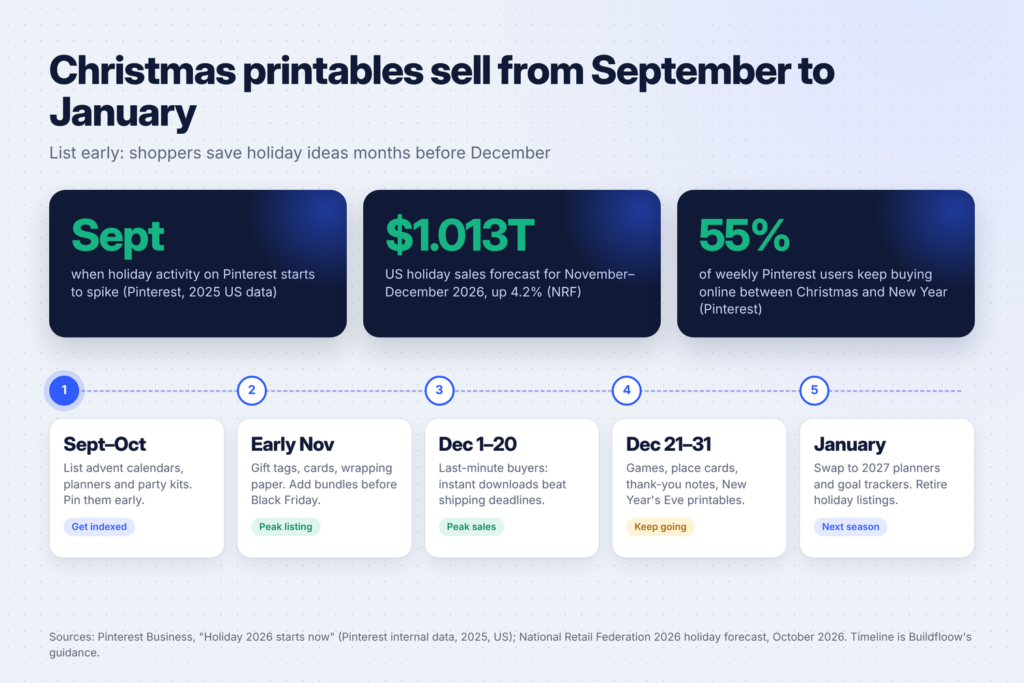
Two numbers explain why the season is worth the effort. The National Retail Federation’s 2026 holiday forecast expects US retail sales in November and December to grow 4.2% to $1.013 trillion. And Pinterest’s holiday 2026 guide for businesses says its data shows holiday activity spiking as early as September.
In other words, buyers are planning now. Here’s a simple calendar to follow:
- September to October: list advent calendars, holiday planners and party kits. These are things people organize ahead of time.
- Early November: list gift tags, cards and wrapping paper, and bundle your best products before Black Friday.
- December 1 to 20: the last-minute rush. This is where printables shine, because a download arrives instantly while physical gifts are stuck in the post.
- December 21 to 31: party games, place cards, thank-you notes and New Year’s Eve printables. Pinterest’s guide notes that during the week between Christmas and New Year’s Day, 55% of weekly Pinterest users keep buying online.
- January: switch to next year’s planners and goal trackers.
New listings take time to get found in Etsy search, and pins take time to spread on Pinterest. If you list in late October or early November, your products have weeks to collect views and first reviews before the peak.
The rules to know before you make anything
Stay away from characters and brands. The Grinch, Disney and Pixar characters, the Elf on the Shelf name and its look, team logos and song lyrics are all protected. Etsy’s intellectual property policy lets rights holders report listings, and seasonal products get reported a lot. Make original designs with generic Christmas themes: snowflakes, gingerbread, candy canes, reindeer, pine trees, cozy sweaters.
Disclose AI use. If you use AI to create artwork or other parts of a product, Etsy requires you to say so in the listing description. Its Seller Handbook article on Etsy’s stance on AI creations explains the rule.
Design your own templates. If you build in Canva, you can’t resell Canva’s own templates as they are. Read Canva’s guide to creating products for sale for what’s allowed.
15 Christmas printables to make and sell
1. Christmas gift tags
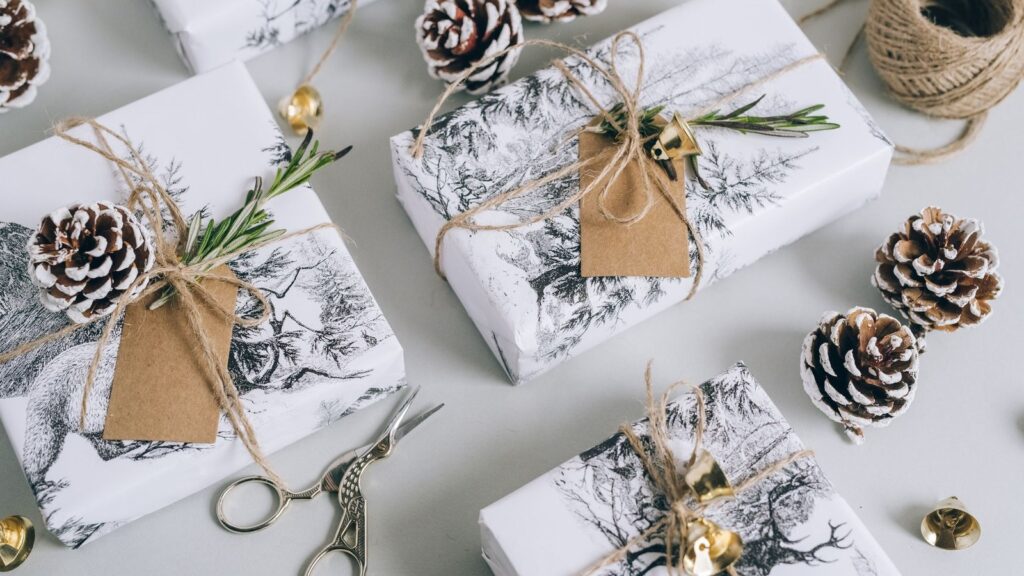
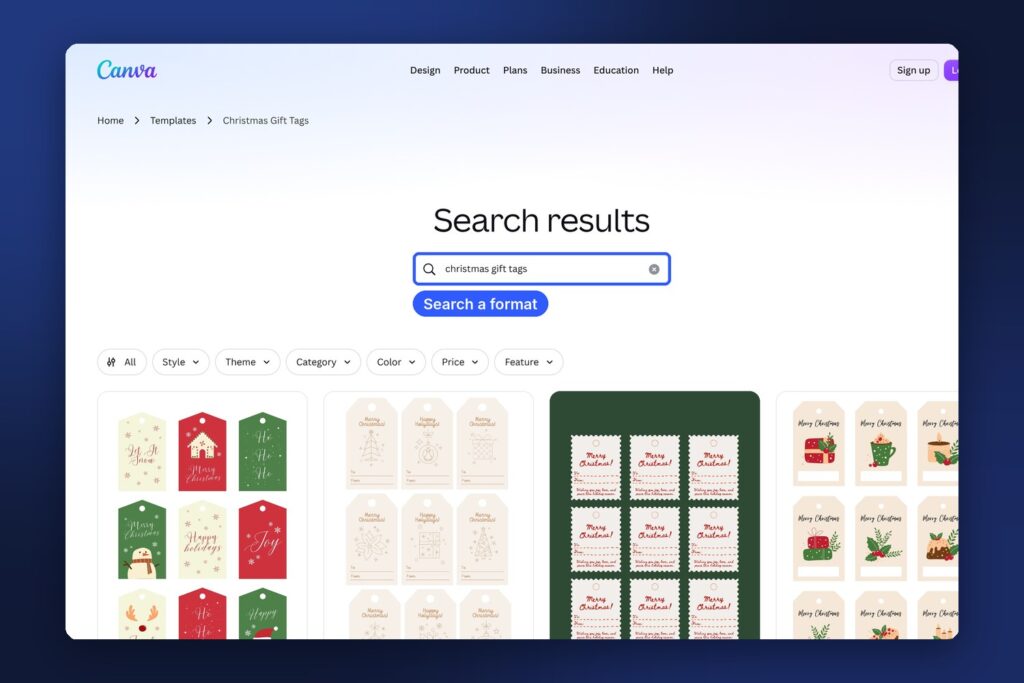
Every wrapped present needs one, and most people realize this at 11pm on December 23. Make a page of 8 to 12 tags on US Letter and A4, in one coherent style: rustic kraft, minimalist black and white, cute illustrated animals or bold modern type. Add a blank “To / From” version and a few with short messages.
Make it: design one tag in Canva, then duplicate and vary it. Ask ChatGPT for 30 short, warm gift tag messages that aren’t cheesy, and pick the best. Sell it as a set of three or four styles, which looks like more value than one sheet.
2. A printable advent calendar
Advent calendars sell early because they start on December 1. Two formats work well: a countdown poster with 24 numbered boxes to color in, and a pack of 24 activity cards (“Make paper snowflakes,” “Watch a Christmas movie in pajamas,” “Write a card to a neighbor”).
Make it: ask ChatGPT or Claude for 40 low-cost family activity ideas, then choose 24 that suit young kids, and make a second set for couples or adults. Design the cards in Canva, four per page. Target parents, teachers and couples separately. Each is its own listing and its own search.
3. A holiday planner
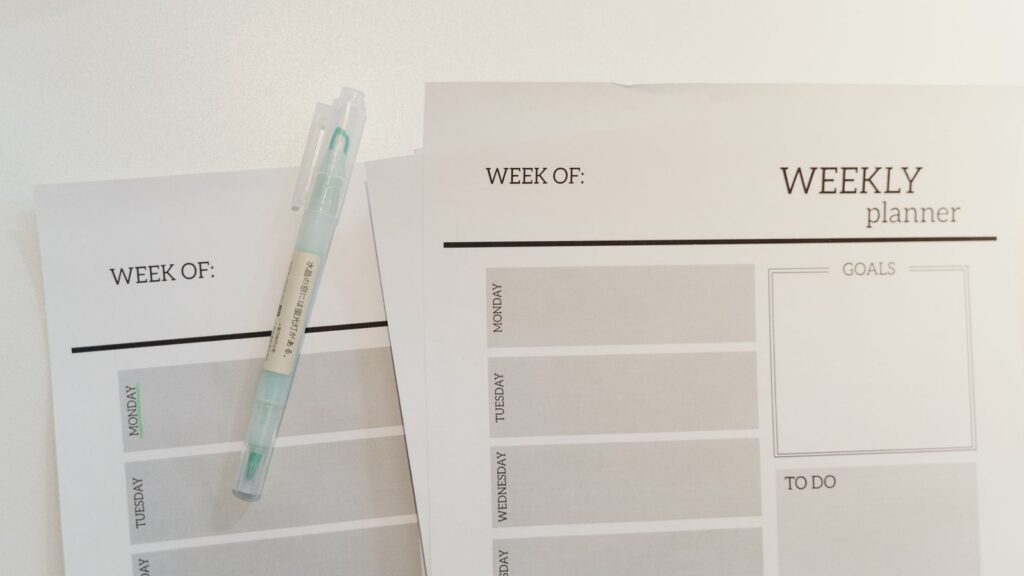
Holidays come with a lot of lists: gifts, budgets, cards to send, groceries, the Christmas dinner timeline. A 10 to 20 page planner puts it all in one place.
Make it: use AI to plan the pages, then design them with the same fonts and colors throughout. Include a gift budget tracker, a “who’s hosting what” page and a dinner countdown schedule. Offer US Letter and A4, and a hyperlinked PDF version for tablet users if you’re comfortable with that format.
4. Editable Christmas card templates
People who want personal cards without hiring a designer buy editable templates. Make photo cards (a family photo with a short greeting) and illustrated cards, sized for common photo-print and card sizes.
Make it: design several layouts in Canva and deliver them as a Canva template link plus a PDF with clear instructions. Templates you design yourself can be shared this way so buyers edit their own copy.
5. A kids’ Christmas activity pack
Parents and grandparents look for screen-free activities during school holidays. A 20 to 30 page pack with coloring pages, mazes, dot-to-dots, word searches and “spot the difference” pages is a classic.
Make it: AI image tools can draw simple line-art for coloring pages from your prompts. Clean them up, check for odd details, and disclose AI use in your listing. Word searches and mazes can be made with free generators online, then styled in Canva. Make one pack for ages 3 to 5 and another for ages 6 to 9.
6. A “Letter to Santa” kit
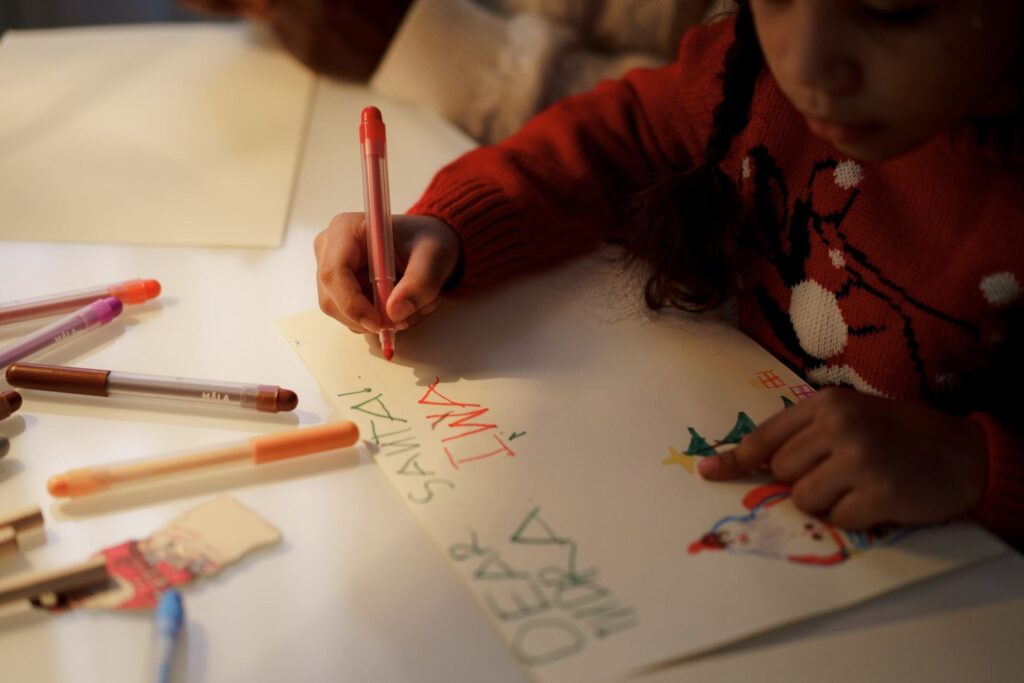
A kit with a letter template, a reply letter “from Santa,” a nice list certificate and an envelope design is a small product that families love. Kids fill in the letter, and parents use the reply on Christmas morning.
Make it: write the reply letter with ChatGPT, then edit it so it sounds warm and personal, with blanks for the child’s name and one good thing they did this year. Keep Santa generic. Your own illustration style, not a character from a film.
7. Christmas party games
Office parties, family gatherings and classroom parties all need games. Christmas bingo cards (with 20 or 30 unique cards), “would you rather” cards, a holiday movie trivia sheet, “who’s most likely to” and a present scavenger hunt are all popular.
Make it: use AI to draft the questions, then check every trivia answer yourself. Make sure bingo cards are actually unique. A free bingo generator plus Canva styling works well. Bundle five games into a “Christmas party game pack” for more value.
8. Christmas dinner place cards and menu cards
Hosts want their table to look special. Editable place cards, a menu card, a drinks sign and a “welcome” sign in one matching set are an easy upsell.
Make it: design elegant, simple layouts (they suit more tables), and deliver as editable Canva links so buyers type in names and dishes. Create two or three color schemes: classic red and green, gold and white, and natural greenery.

9. A Secret Santa kit
Workplaces and friend groups run Secret Santa every year. A kit with a wish-list form, name-draw slips, a rules sheet and a “your Secret Santa was…” reveal card saves the organizer real time.
Make it: this is quick to build, and it’s easy to add an office-friendly version and a family version as separate listings.
10. Printable wrapping paper and gift card holders
Printable patterns for small gifts, gift card holders and money envelopes are useful for last-minute buyers. Repeat patterns are straightforward in Canva.
Make it: design seamless patterns (or use AI to generate pattern ideas, then refine them), plus folding templates with clear dotted cut and fold lines. Test print and assemble one yourself before you list it.
11. Christmas wall art
Seasonal prints are cheap holiday decor. Think winter landscapes, minimalist typography (“Merry & Bright,” “Let It Snow”), vintage-style botanical prints of holly and pine, or a set of three for a gallery wall.
Make it: deliver high-resolution files in the common frame ratios (2:3, 3:4, 4:5, 11×14 and A-series sizes), so buyers can print at any size. Avoid copying a famous painting or another seller’s style.
12. Classroom Christmas printables
Teachers buy activity sheets, holiday writing prompts, reading logs, gift tags for students and “end of term” awards. Classroom products can sell in large numbers because teachers share them with each other.
Make it: use AI to draft age-appropriate writing prompts and worksheets, then check them for grade level and accuracy. You can also list them on Teachers Pay Teachers, which is built for this audience.
13. A Christmas budget and gift tracker spreadsheet
Some buyers prefer a spreadsheet to paper. A Google Sheets template that tracks each gift, its cost, whether it’s bought and wrapped, and the total against a budget is useful every year.
Make it: ask ChatGPT or Claude to write the formulas, then test them with sample data. Deliver it as a PDF with a “make a copy” link to your Google Sheet and a short how-to.
14. A cookie exchange and holiday baking kit
Cookie exchanges and holiday baking are big on Pinterest. A kit with an invitation, recipe cards, labels for cookie boxes and a “cookie exchange rules” sign makes a cute, giftable printable bundle.
Make it: design the recipe cards with blank spaces so buyers write in their own family recipes. If you include recipes, write and test them yourself.
15. A New Year’s Eve and next-year planner bundle
Sell this from December into January. Party printables (countdown cards, resolutions cards, a “year in review” sheet) pair well with a 2027 planner, goal tracker or habit tracker.
Make it: this keeps your shop selling after Christmas, and the planner part can stay listed all year.
How to price and bundle Christmas printables
Look at what the best-reviewed listings in each category charge, then price where your product honestly fits. Some general rules:
- Small single products (one tag sheet, one bingo game) work best in bundles. Etsy’s fixed fees take a big bite out of very cheap listings, as we explained in the Etsy fees breakdown.
- Bundles like a “Christmas party pack” or “holiday planner + gift tags + card templates” let you charge more and stand out in search.
- Editable templates usually sell for more than plain PDFs, because the buyer saves real time.
- Run a sale, don’t start cheap. Use Etsy’s Marketing tab for a Black Friday or “12 days of Christmas” sale on full-price listings.
Listing tips for the holiday rush
- Put the occasion in the title and tags: “Christmas Gift Tags Printable, Holiday Gift Labels, Rustic Kraft Tags, Instant Download.” Use all 13 tags.
- Say “instant download” clearly. In December, it’s the main reason people choose a printable over a physical item.
- Show the product in use: tags on wrapped gifts, place cards on a set table, an activity sheet with crayons next to it.
- List both paper sizes (US Letter and A4), and add a “how to print” PDF so buyers print at actual size.
- Add each file to your listing as an instant download. Etsy allows up to five files of 20MB each per listing, according to its help page on managing digital listings.
Get your printables seen on Pinterest
Pinterest is where many people plan Christmas, and pins keep showing up for weeks or months after you post them. For each listing:
- Make two or three tall pins (2:3, for example 1000 × 1500 px) with a clear headline: “Christmas party games for adults,” “Printable advent calendar for kids.”
- Write a keyword-rich pin description with what it is and who it’s for.
- Link each pin straight to the Etsy listing.
- Save pins to boards named for what people search: “Christmas Printables,” “Christmas Party Ideas,” “Advent Calendar Ideas.”
- Start pinning now, and keep adding new pins through December.
FAQ
Is it too late to sell Christmas printables this year?
If you’re reading this in October or November, no. That’s when listings have time to be found before the December peak. Even in December, last-minute instant downloads still sell, but early listings do better.
Can I use Christmas songs, movie quotes or characters?
No. Song lyrics, film characters and brand names are protected, and seasonal listings that use them are often reported and removed. Stick to your own designs and general Christmas themes.
Do I need to say I used AI?
Yes, if AI created any part of the product. Etsy requires a disclosure in the listing description.
Should I take my Christmas listings down in January?
You can deactivate them in January to keep your shop focused, then reactivate them in September. Reactivating renews the listing, which costs the normal listing fee, and it keeps your reviews.
What sells best?
It varies by shop, but gift tags, advent calendars, kids’ activity packs and party games are steady sellers because so many people need them every year. Start with one category, see what gets views, and build more around it.
Keep going
If you’re new to Etsy, start with how to start an Etsy digital download shop with AI. For more products to make in Canva, see 15 side hustles you can do with Canva and 15 Notion and Canva templates you can make with AI and sell online. For writing your listings and pins faster, try these side hustles you can do with ChatGPT.