Templates are one of the easiest digital products to start with. You build something once, and buyers duplicate it into their own Notion workspace or Canva account. There’s no shipping, no customer support beyond the odd question, and no limit on how many times it can sell.
AI makes the build faster too. ChatGPT or Claude can plan the structure of a Notion system, write the formulas, fill in example content and write your listing. Canva’s own AI tools speed up design. Your job is to pick a niche, make it look good and make it easy to use.
Below are seven Notion ideas and eight Canva ideas, plus the rules you need to know before you sell, and where to list them.
Before you start: the licensing rules
Canva. According to Canva’s guide to creating products for sale, you can sell original templates you design. If your template uses any Canva Pro elements, you can only sell it as a Canva template link, not as a PDF or image file. Templates built only from free elements can be sold either way. Read the page yourself before you list anything, since Canva updates its terms.
Notion. You can sell a Notion template as a duplicate link through any store, or through Notion’s own Marketplace. Notion’s seller guide says paid Marketplace templates have an 8% fee plus 40 cents per transaction, and sellers need to be approved first.
7 Notion templates you can sell
Notion buyers want systems, not pretty pages. A good Notion template saves the buyer hours of setup and works on day one.
1. A freelancer client tracker
Freelancers need to track leads, projects, invoices and deadlines in one place. Build linked databases for clients, projects and payments, with a dashboard showing what’s due this week. Price it at $19 to $39. Freelancers earn money from the system, so they’ll pay more than students will.
2. A content calendar for creators
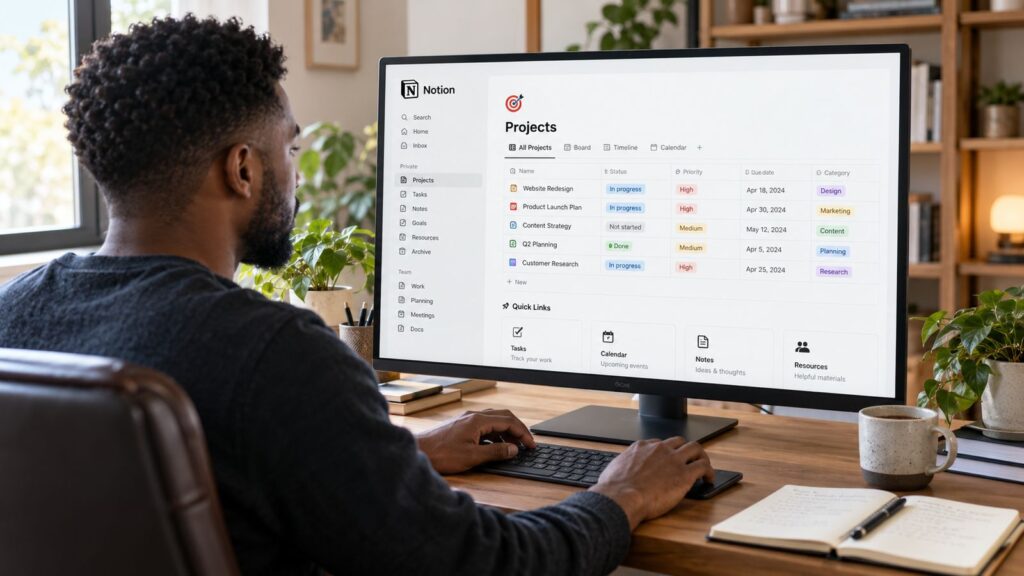
Make a planner for ideas, scripts, filming dates, posting dates and results across platforms. Add views by platform and by status. Creators are a large market and they talk about their tools online, which brings you free promotion.
3. A job application tracker
People applying for jobs track companies, contacts, application dates and interview stages. Build a board view by stage and add a template for interview notes. Pair it with a short PDF guide on interviews or CVs for a bundle.
4. A student semester planner
Make a planner with classes, assignments, exams, a grade calculator and a study log. Students expect low prices, so sell it for $5 to $12 and make it beautiful.
5. A personal finance dashboard
Track income, spending by category, savings goals and subscriptions. Use AI to write the Notion formulas for monthly totals and progress bars, then test them carefully. Finance templates sell steadily because people reset their budgets every January.
6. A small business operating system
A workspace with an SOP library, a task board, a client list and a weekly review page. Make versions for specific businesses, such as a cleaning company or a photography studio, so the buyer sees their own business in it. Each version can sell on its own.
7. A reading and learning tracker
Build a book database with ratings, notes, quotes and a yearly reading goal, plus a section for courses and podcasts. It’s a smaller-ticket product, around $7 to $12, that sells well on Etsy and to the book community on TikTok.
8 Canva templates you can sell
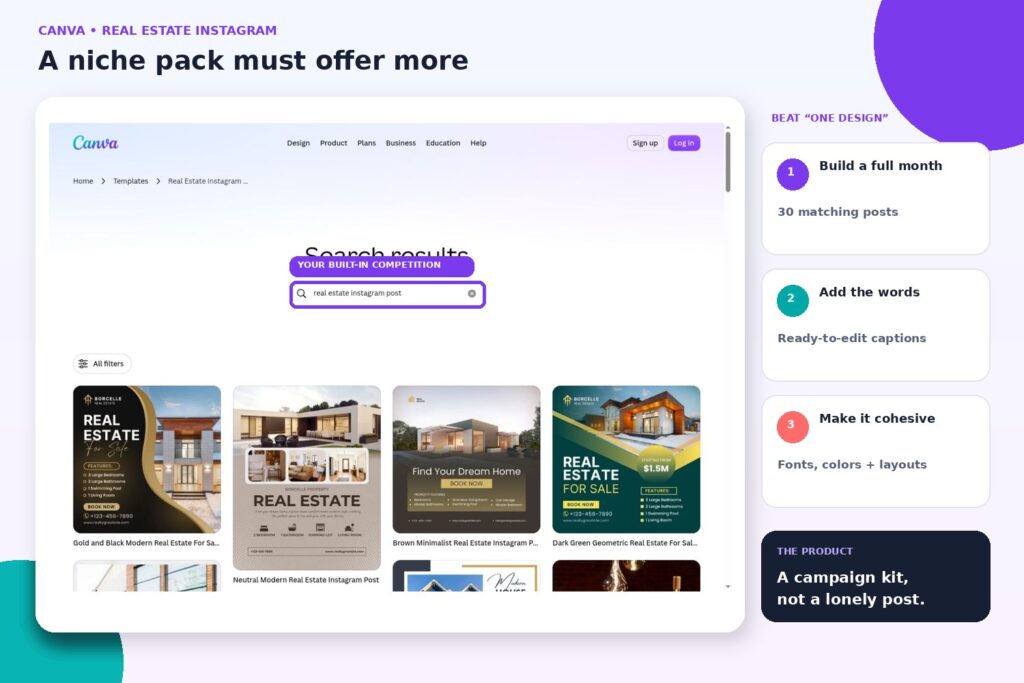
Canva buyers want to look professional without hiring a designer. Niche templates sell much better than general ones.
8. Instagram post templates for one profession
Make 30 post templates for real estate agents, therapists, fitness coaches or bakeries. Include captions written with AI that the buyer can edit. A profession-specific pack can sell for $25 to $49, because it saves hours of work every month.
9. Pinterest pin templates
Bloggers and product sellers need fresh pins every week. Make 20 pin designs in the long vertical format Pinterest favors, with space for a headline and an image. Sell them to bloggers and Etsy sellers. You can also use your own templates to promote your shop on Pinterest.
10. Resume templates
Clean, readable resume designs sell year-round. Keep the layout simple enough for applicant tracking software, and include a matching cover letter. Price a set at $9 to $19.
11. Ebook and workbook templates
Coaches and creators making their own lead magnets and guides want a ready-made layout. Make a 20-page template with a cover, contents page, chapter pages, worksheets and a checklist page. If you make guides yourself, you’ll use this too.
12. A brand kit for small businesses
Bundle a logo layout, color palette page, business card, email signature and social profile images. Small businesses starting out will pay $29 to $49 for a matching set.
13. Presentation templates
Coaches, consultants and students all make slide decks. A 30-slide template in a clear style, with layouts for data, quotes and team pages, sells well. Make a pitch deck version for startups.
14. Wedding and event stationery
Invitations, save-the-dates, menus, place cards and signs, all editable. Wedding templates are a crowded category on Etsy, so pick a specific style, such as minimalist, boho or modern black and white, and do it well.
15. Printables for teachers and parents
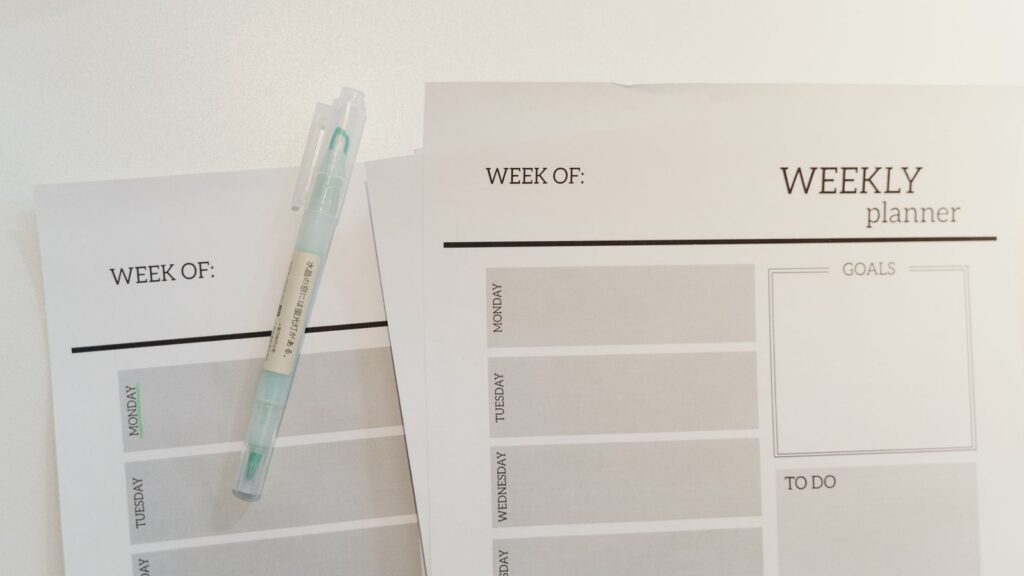
Classroom posters, behavior charts, chore charts and routine cards. These sell in high volume at low prices. For seasonal ideas, see 15 Christmas printables to make and sell.
How to build a template with AI
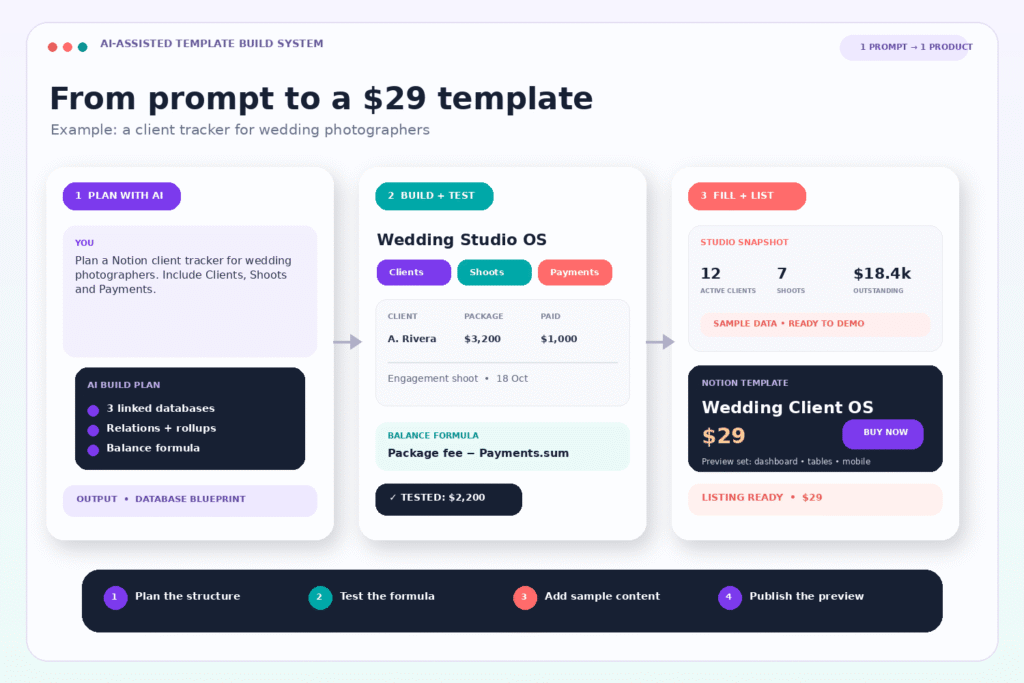
- Pick the buyer first. “A Notion tracker for wedding photographers” sells better than “a Notion business tracker.”
- Ask AI for the structure. For Notion, ask ChatGPT or Claude to design the databases, properties, relations and views for your buyer. Then build it and test every formula. For Canva, ask AI for the list of pages or posts the buyer needs and the copy for each.
- Fill it with realistic examples. Empty templates look confusing. Add sample content that shows how to use each part, and make it easy to delete.
- Write a one-page guide. Include a short PDF or a Loom video showing how to duplicate and use the template. This cuts support questions a lot.
- Make great preview images. Buyers decide from the listing photos. Show the template on a laptop or phone mockup, show the main views and show it filled in.
Our list of 15 side hustles you can do with Canva shows more ways to use AI and Canva together.
Where to sell
| Where | Good for | Note |
|---|---|---|
| Etsy | Canva templates, printables, Notion planners | Buyers already search here |
| Notion Marketplace | Notion templates | 8% plus 40 cents per sale; approval needed |
| Gumroad or Payhip | Both | Good for your own audience |
| Creative Market | Canva and design templates | Suits polished design work |
| Your own site | Bundles | You keep customer emails |
To bring traffic without ads, Pinterest works especially well for templates. See how to start an Etsy digital download shop with AI for listing and pricing tips.
FAQ
How much can one template make?
It varies a lot. Many templates sell a handful of copies. A few sell hundreds. The ones that do well usually target a specific buyer, look great in their previews and have reviews. Plan to make several and keep improving the ones that sell.
Should I sell a single template or a bundle?
Start with one strong template to learn what sells, then build a bundle around it. Bundles raise your average order value and make a good upsell.
What if someone copies my template?
It happens. Keep improving your templates and building a brand with your own style. Buyers who like your work will come back for updates and new products.
More ideas
If templates go well, try a bigger product. See how to start an Etsy digital download shop with AI for a step-by-step launch plan, or 15 Christmas printables to make and sell for seasonal quick wins.